> For the complete documentation index, see [llms.txt](https://docs.coinkarma.co/llms.txt). Markdown versions of documentation pages are available by appending `.md` to page URLs; this page is available as [Markdown](https://docs.coinkarma.co/english/features-guide/strategy-builder-backtest-and-trading-bot.md).
# Strategy Builder(Backtest & Trading Bot)
**Table of Contents**
* Feature Overview
* How to Create a Strategy
* How to Run a Backtest
* How to Create a Trading Bot
* FAQ
### I. Feature Overview: What is the Strategy Builder?
The **Strategy Builder** is a core feature of CoinKarma. It assists users in utilizing CoinKarma indicators to construct trading strategies, verify historical performance through backtesting, and deploy them as automated **trading bots** with a single click.
It consists of three core concepts:
* **Strategy:** The core of your trading logic. It defines the rules for when to enter (open a position) and exit (close a position) the market.
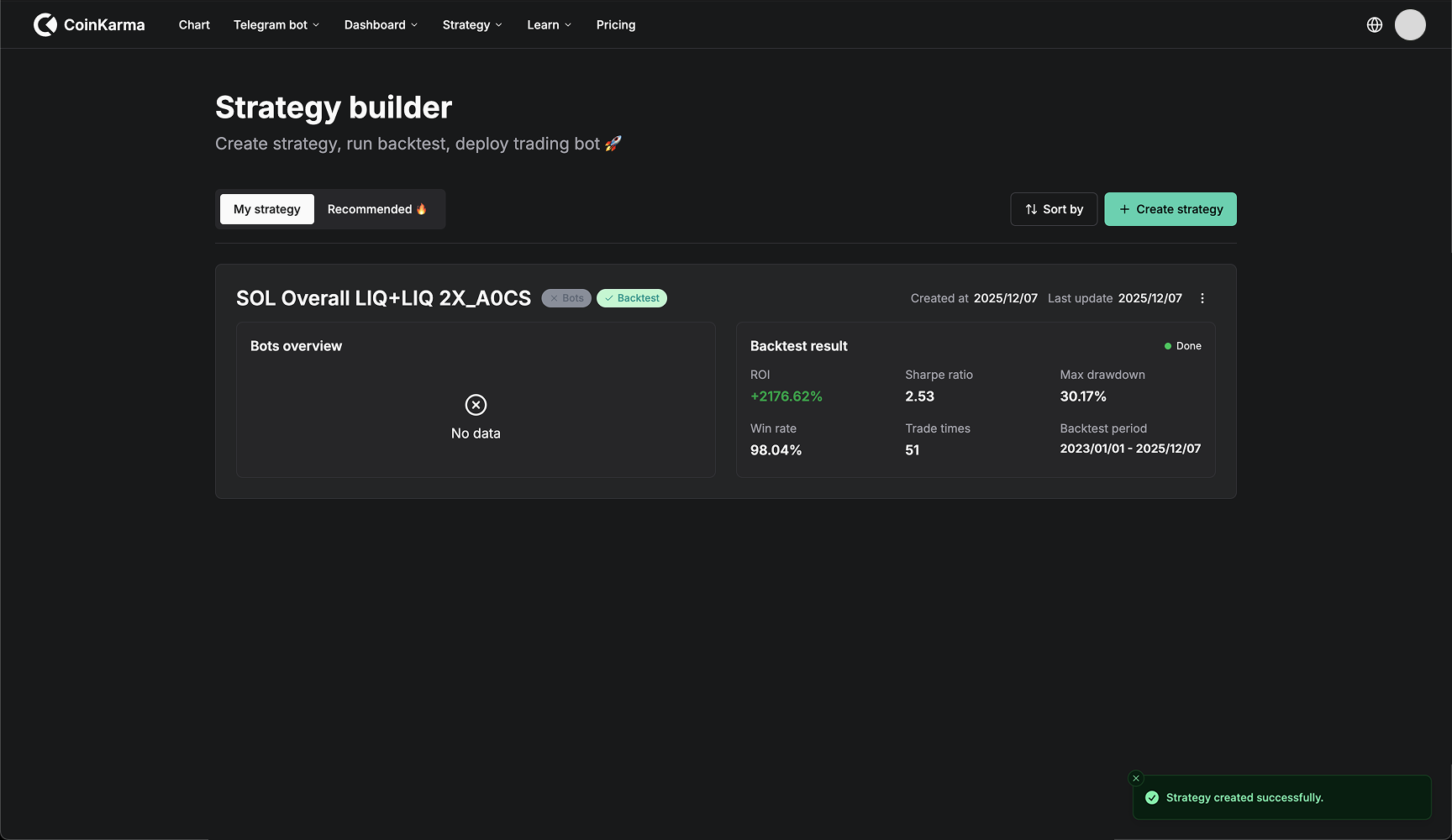
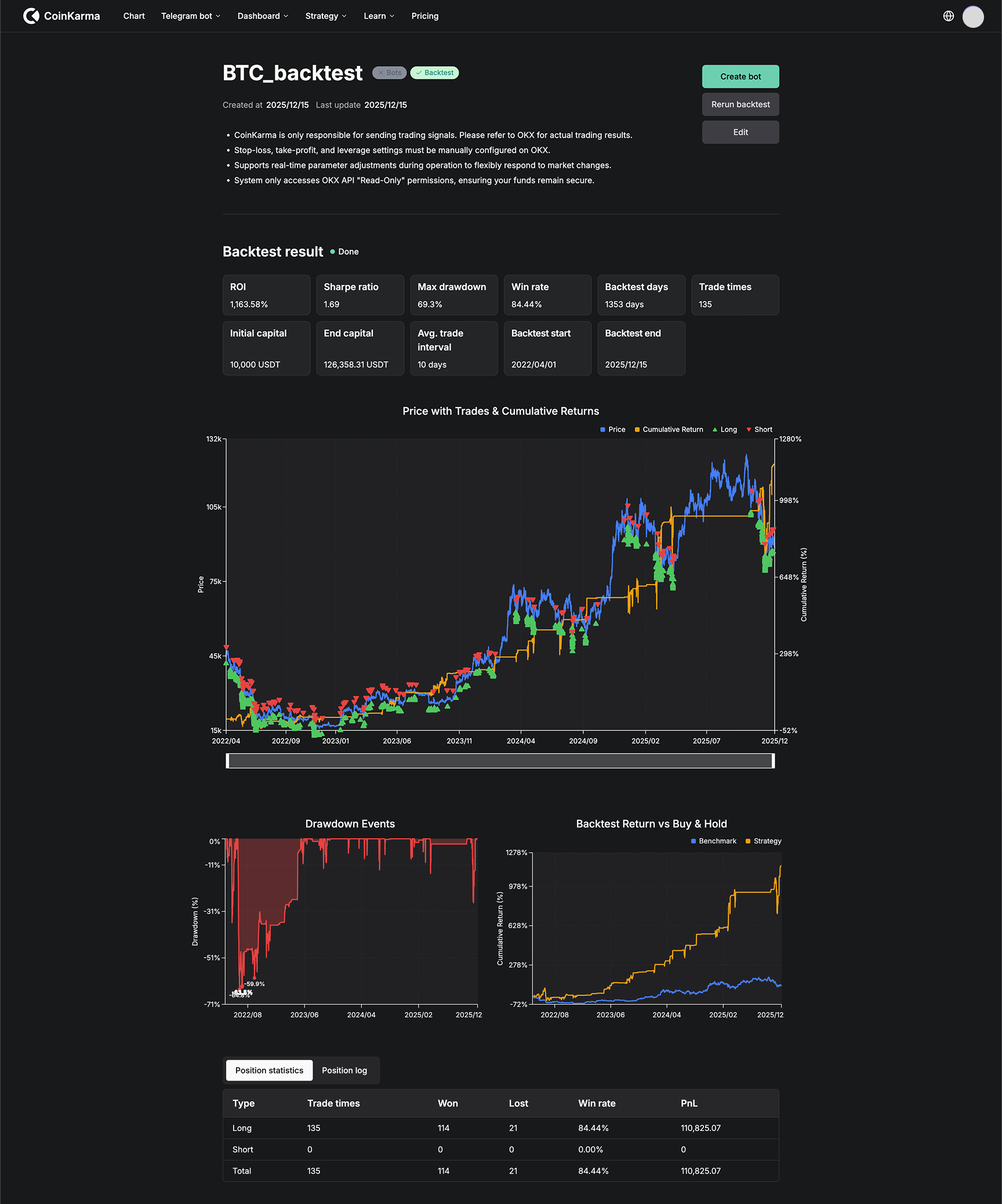
* **Backtest:** The verification mechanism for your strategy. It uses historical data to simulate strategy performance, providing key analytical data such as Return on Investment (ROI) and Maximum Drawdown (MDD).
* **Trading Bot:** The practical application of your strategy. Connects your validated strategy to the OKX exchange to achieve fully automated trading.
### II. How to Create a Strategy
There are two ways to create a strategy:
#### Method 1: Custom Strategy
Suitable for users with clear trading ideas.
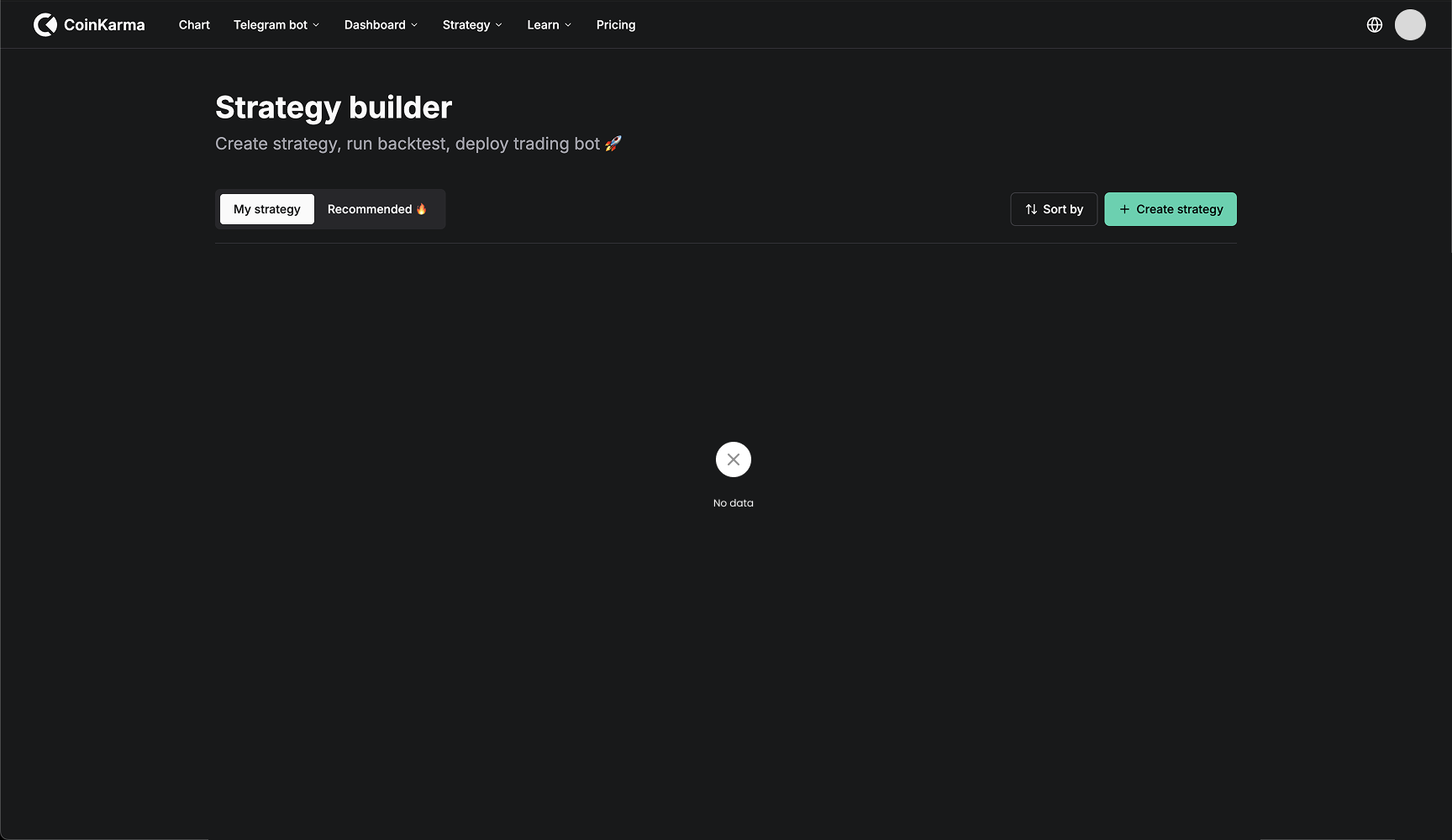
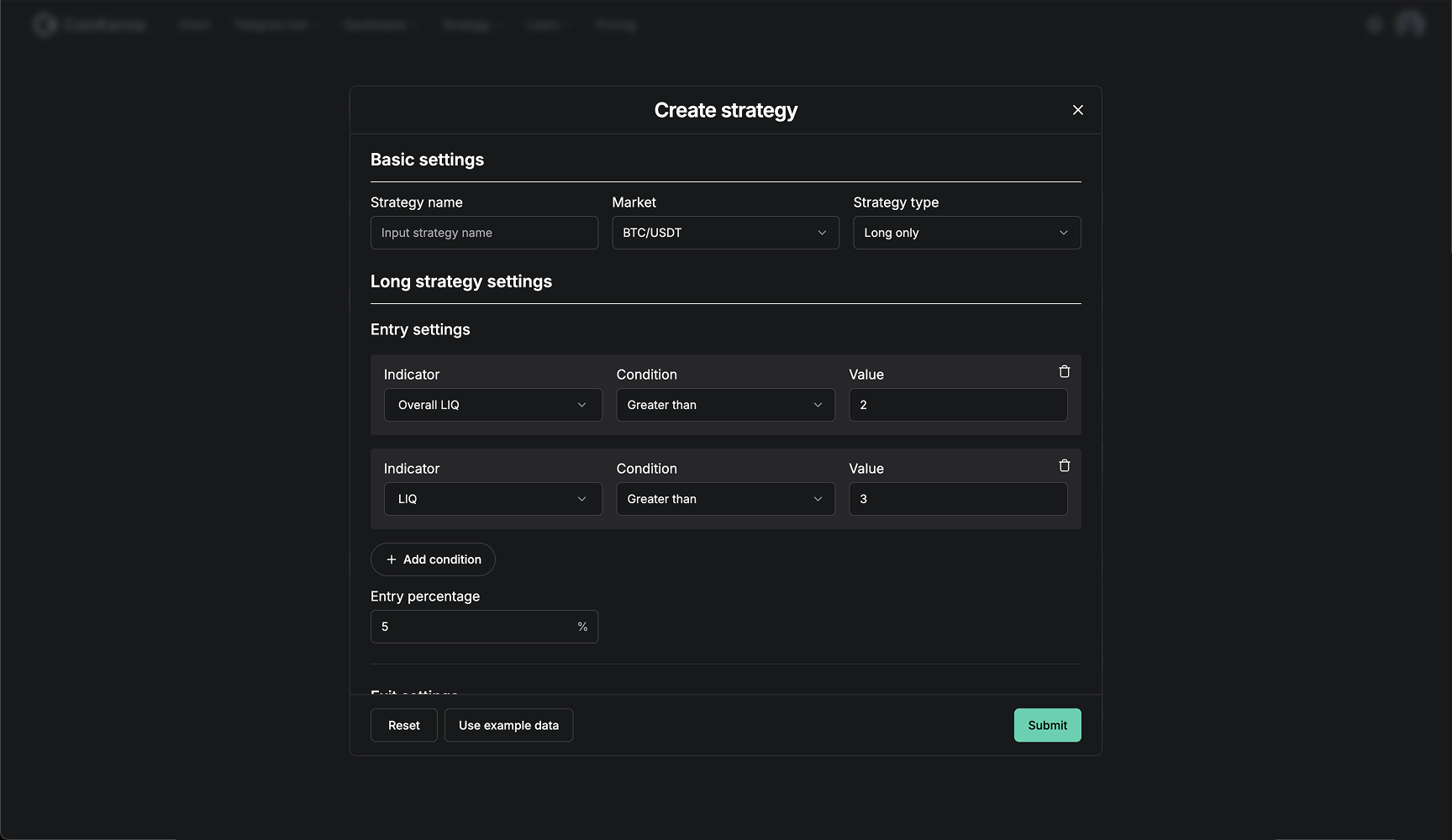
1. Click the **"+ Create strategy"** button on the page.
2. Enter your entry/exit logic and indicator parameters in the editor.
3. Once confirmed, click **"Submit"**. You can then view the strategy in **"My strategy"**.
#### Method 2: Recommended Strategy
Suitable for beginners or users who want to reference official logic.
1. Switch to the **"Recommended"** tab.
2. Browse the list of officially selected strategies.
3. Select a strategy you are interested in and click **"Add to my strategy"**.
4. The system will automatically copy the strategy to your personal library, where you can use it directly or modify it.
### III. How to Run a Backtest
Before investing real funds, it is strongly recommended to perform a historical **backtest**.
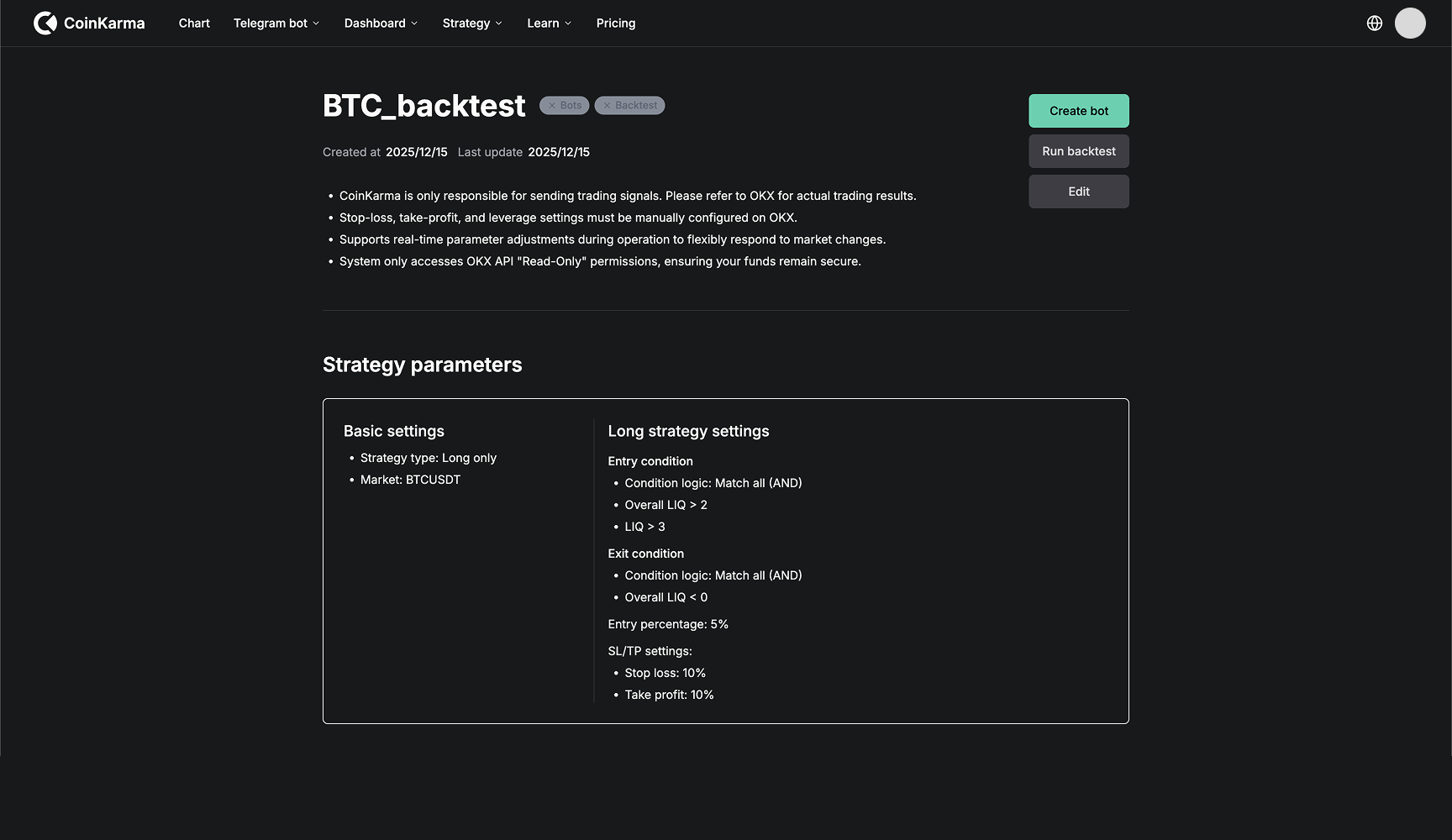
1. Click **"Run backtest"** on the strategy page.
2. Set the backtest parameters in the pop-up window:
* **Time Start/End:** Select the historical range you want to verify.
* **Leverage:** Set the leverage multiplier for the simulated trading.
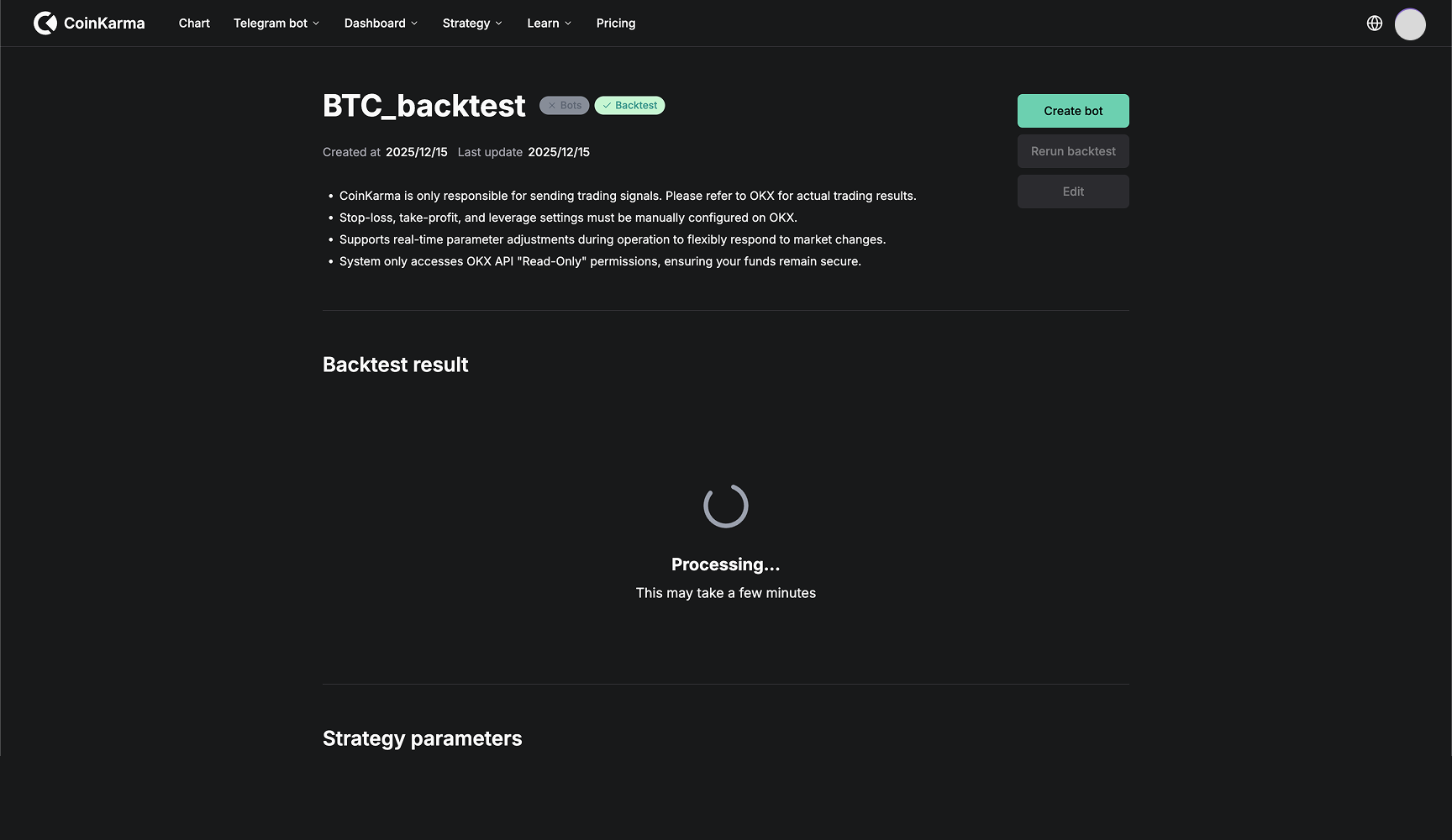
3. Click Submit. The system will begin calculations. Depending on the amount of data, this usually takes 1-5 minutes.
4. Once the calculation is complete, you will see a detailed performance analysis report.
### IV. How to Create a Trading Bot
Once you are satisfied with a strategy's **backtest** performance, you can deploy it to OKX for automated trading.
#### **Step 1: Bind OKX Account**
1. Click the **"Create bot"** button.
2. The system will guide you to bind your OKX API (if not yet bound).
* *Security Statement:* This OKX API permission is **"Read-Only"** and cannot perform any fund transfers.
* *Note:* If you have previously failed to bind, please ensure you go to the OKX API management page to delete the old API Key before restarting the binding process.
#### **Step 2: Submit for Review and Activate**
1. After binding is complete, check the agreement box in the confirmation window and click **"Submit"**.
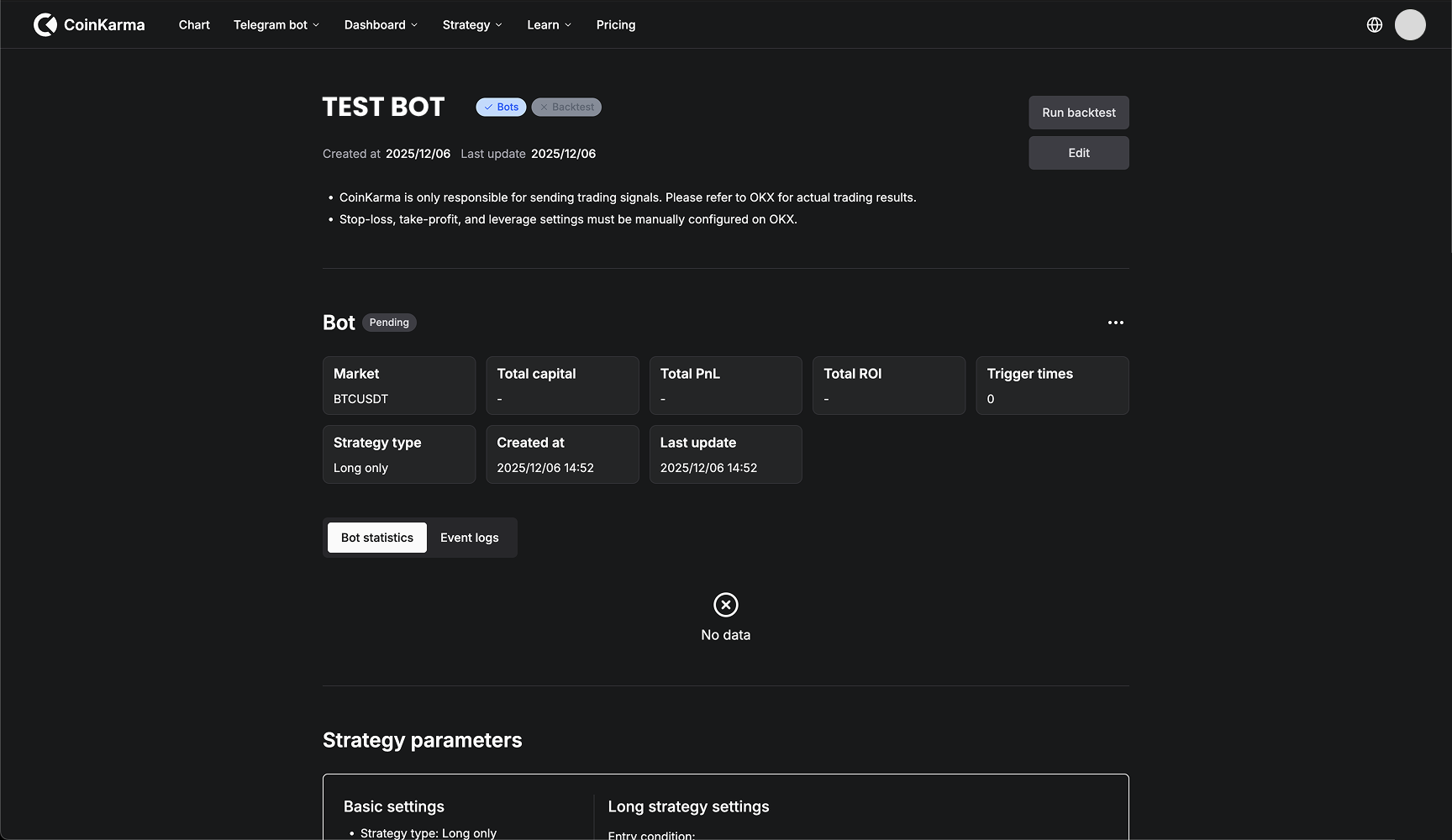
2. The bot status will show as **Pending** (Under Review). Please wait for the OKX system to review it (usually completed within 24 hours).
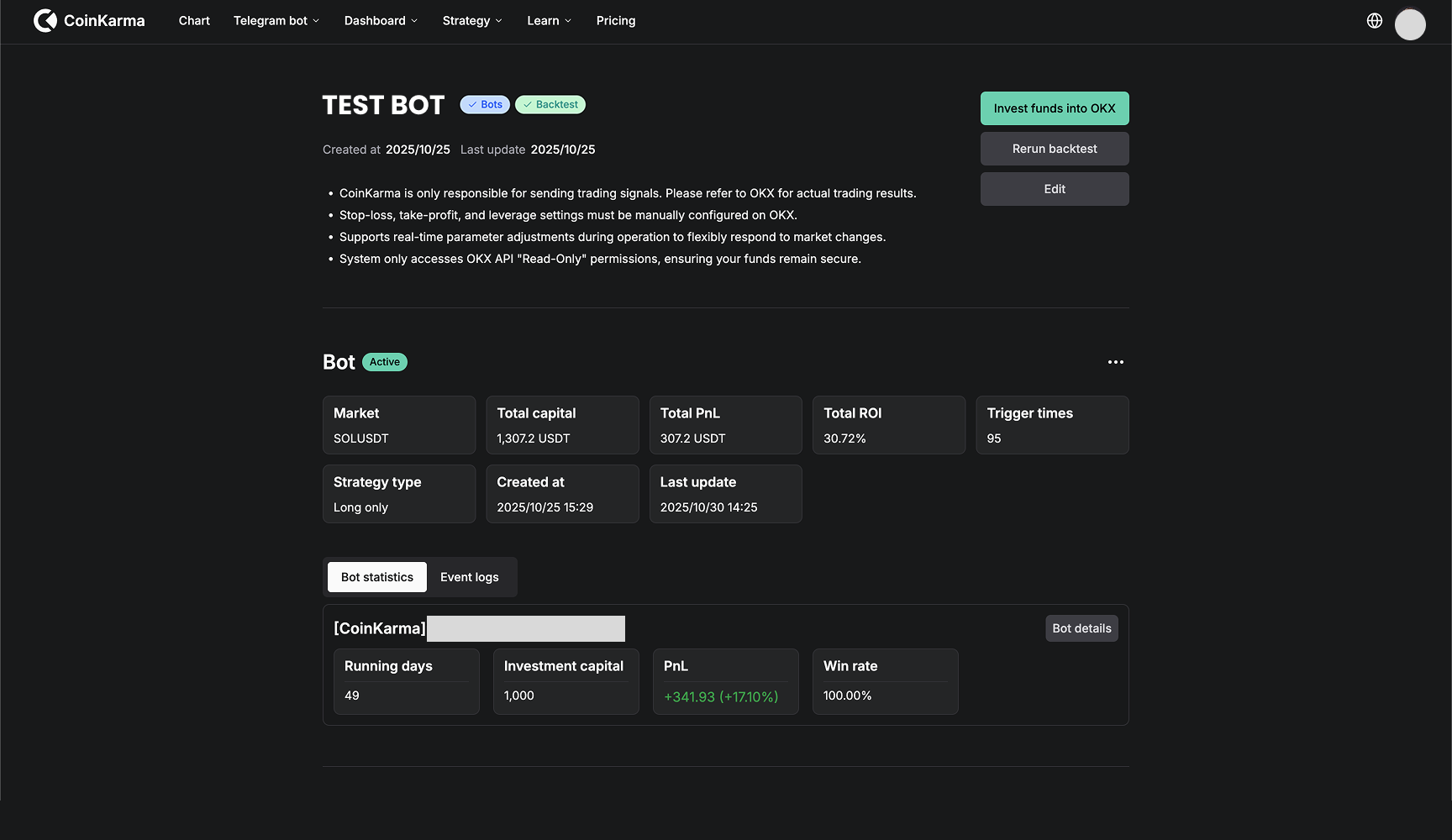
3. Once approved, the status will update to **Active**.
#### **Step 3: Invest Funds and Start Trading**
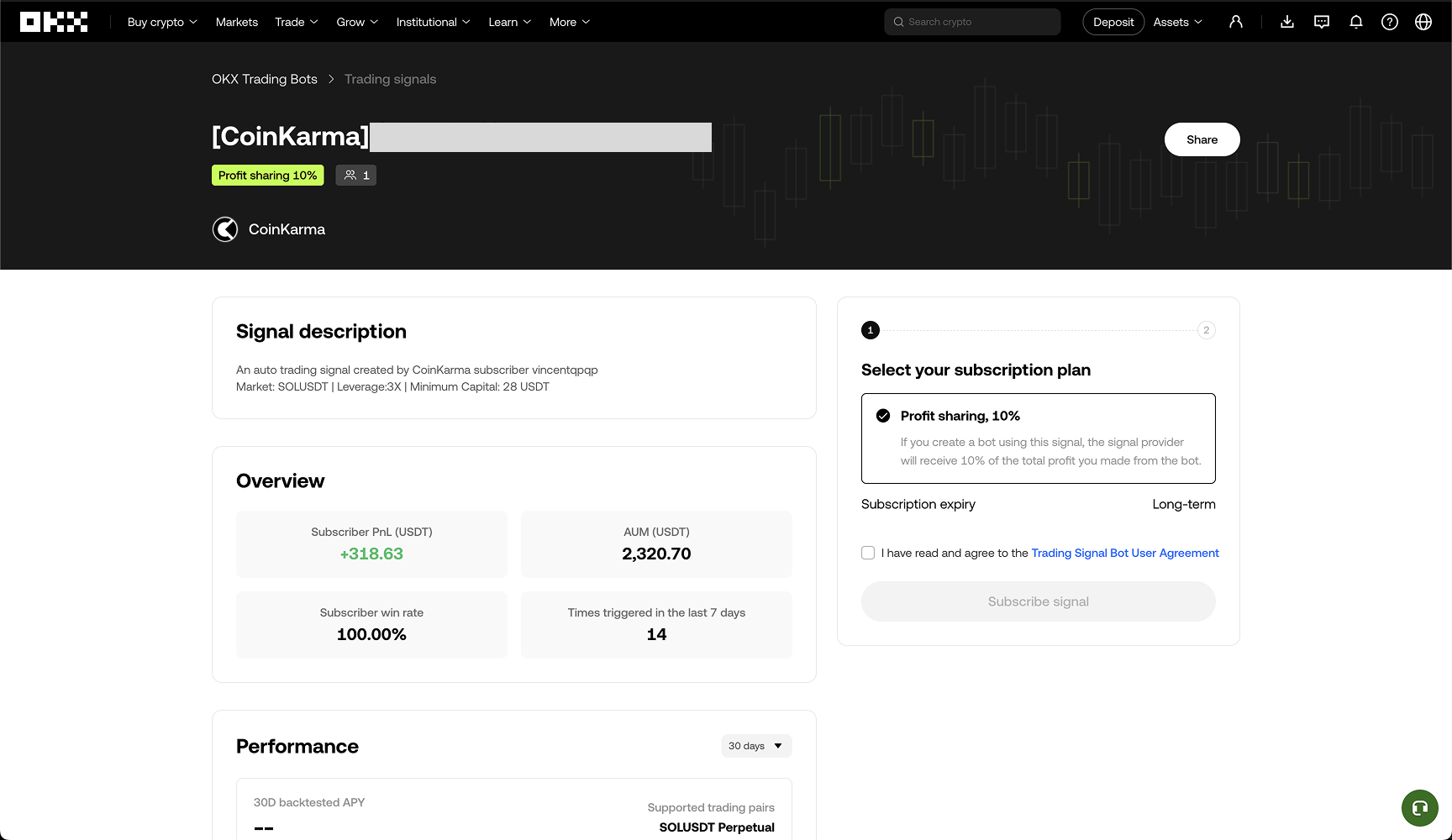
1. Click the **"Invest funds into OKX"** button. The system will redirect you to the OKX signal subscription page.
2. Confirm the subscription on the OKX page and set the margin amount and leverage you wish to invest.
3. Once setup is complete, the **trading bot** will officially start. CoinKarma will automatically send trading signals based on your strategy logic, and OKX will execute the orders.
### V. FAQ
#### Q1: How do I set Take Profit (TP) and Stop Loss (SL) for the trading bot?
TP and SL must be operated directly on the OKX exchange interface.
Operation Path: Go to the OKX Positions/Trade page → Select Signal Bot → Click "Details" on the bot you want to configure → Find the "Take profit" or "Stop loss" options to set the values.
Note: OKX signal bots use "Percentage of Price" for TP/SL calculations. This means the system triggers a close when the price reaches a set percentage increase or decrease relative to the entry price.
#### Q2: How do I set the Leverage for the trading bot?
Leverage must be set during the Invest Funds (Margin) stage of the bot.
Instructions: On the page where you invest Margin, there will be an option to adjust the leverage multiplier. Please ensure the leverage matches your risk tolerance before submitting the bot.
#### Q3: How long does the review take after creating and submitting a bot?
After you submit a bot strategy, OKX officials usually complete the review process within 24 hours. Once approved, the bot can begin receiving signals and operating.
Q4: Is the trading bot's entry position size calculated based on "Initial Capital" or "Current Balance"?
The bot's entry signals use a Percentage of Balance (Dynamic) mode.
* **Calculation:** The system calculates the order amount based on your current "Available Balance."
* **Compounding Effect:** This means the entry amount is not locked to the "Initial Capital" but includes "Initial Capital + Realized PnL." If the strategy makes a profit, subsequent order amounts will increase correspondingly (compounding); conversely, they will decrease if there is a loss.
#### Q5: Will the trading bot use my API Key to trade?
No, please rest assured.
* **Trade Execution:** Our bots use **Webhook** technology to send trading signals to OKX. We do not control your account to place orders directly via API.
* **Permissions:** If the platform requires you to provide an API Key, that Key only has **"Read-Only"** permissions. It is used solely for syncing data and displaying performance; it cannot misappropriate funds or execute trades.
#### Q6: Which countries or regions cannot use the trading bot service?
This service follows OKX exchange compliance policies. Due to local legal restrictions, some regions may not be able to use related services (especially derivatives trading).
According to OKX's latest risk disclosure statement, restricted jurisdictions include but are not limited to:
* **North America:** United States (including all territories), Canada.
* **Asia-Pacific:** Hong Kong, Japan, Malaysia, Singapore (Spot only, derivatives not supported), South Korea (restricted derivative services), Bangladesh, India, Nepal, North Korea.
* Other Regions: United Kingdom (restricted derivatives), Iran, Russia, Cuba, Syria, specific regions of Ukraine (Crimea, etc.), Algeria, Bolivia, etc.
Note: The list of compliant regions may change with OKX policy updates. Please refer to the OKX Official Terms of Service for the most detailed and up-to-date information.
#### Q7: What is the profit-sharing ratio for the trading bot?
The platform adopts a 10% Performance Fee mechanism.
CoinKarma only charges 10% of the profit as a fee when the trading bot generates actual profit for you; if there is no profit, no fee is charged.
#### Q8: Why is the "Maximum Drawdown (MDD)" amount different from the "Actual Realized Loss"?
This is because the calculation basis is different. "Realized Loss" only records the result after closing the position (exit point), whereas "Maximum Drawdown" calculates the maximum floating loss experienced during the holding period (the lowest point during the process).
Example:
Suppose you open a long position when BTC is at $100,000.
1. The price drops to $80,000 during the session (at this point, the floating loss is -20%, which is recorded as the Maximum Drawdown).
2. The price subsequently rebounds, and you finally stop loss and close at $95,000 (actual realized loss is -5%).
In this case, your actual loss is only 5%, but the strategy's MDD will show 20%. This more truthfully reflects the risk the strategy might face under extreme market conditions.
#### Q9: Can I modify parameters and re-run a backtest for a strategy that has already been tested?
Yes. Click "Edit strategy" to edit the strategy parameters, and then click "Rerun backtest" to run the test again with the modified parameters.
#### Q10: Can I modify strategy parameters for a trading bot currently running on OKX, and will it take effect immediately?
Yes. The modification method is the same as for backtesting. Please click "Edit strategy", modify the parameters, and save.
After a successful update, the new strategy will take effect immediately. CoinKarma will instantly use the new logic to send trading signals. You do not need to stop the bot or redeploy it.