> For the complete documentation index, see [llms.txt](https://docs.coinkarma.co/llms.txt). Markdown versions of documentation pages are available by appending `.md` to page URLs; this page is available as [Markdown](https://docs.coinkarma.co/english/getting-started/quickstart.md).
# 5 Minute QuickStart
Welcome to CoinKarma! CoinKarma is a trusted platform for professional crypto traders and institutions, offering a wide range of insightful trading indicators.
## 🔈 Limited Channel|Join Exclusive Channels for Real-Time Updates
{% hint style="info" %}
The following channels are exclusively available to paid members. Link your account [here](https://www.coinkarma.co/account), then click the 「 Telegram Bot 」on navigation bar to join.
{% endhint %}
* 📢 **Token Screener**: A members-only channel that provides hourly updates, swiftly identifying the strongest and weakest performing tokens. (For more details, visit the [Token Screener page](https://docs.coinkarma.co/english/features-guide/token-screener).)
* 📢 **Market Pulse**: A comprehensive market index offering real-time insights into overall market conditions—helping you catch trend reversals as they happen. (For more details, visit the [Market Pulse page](https://docs.coinkarma.co/english/features-guide/market-pulse).)
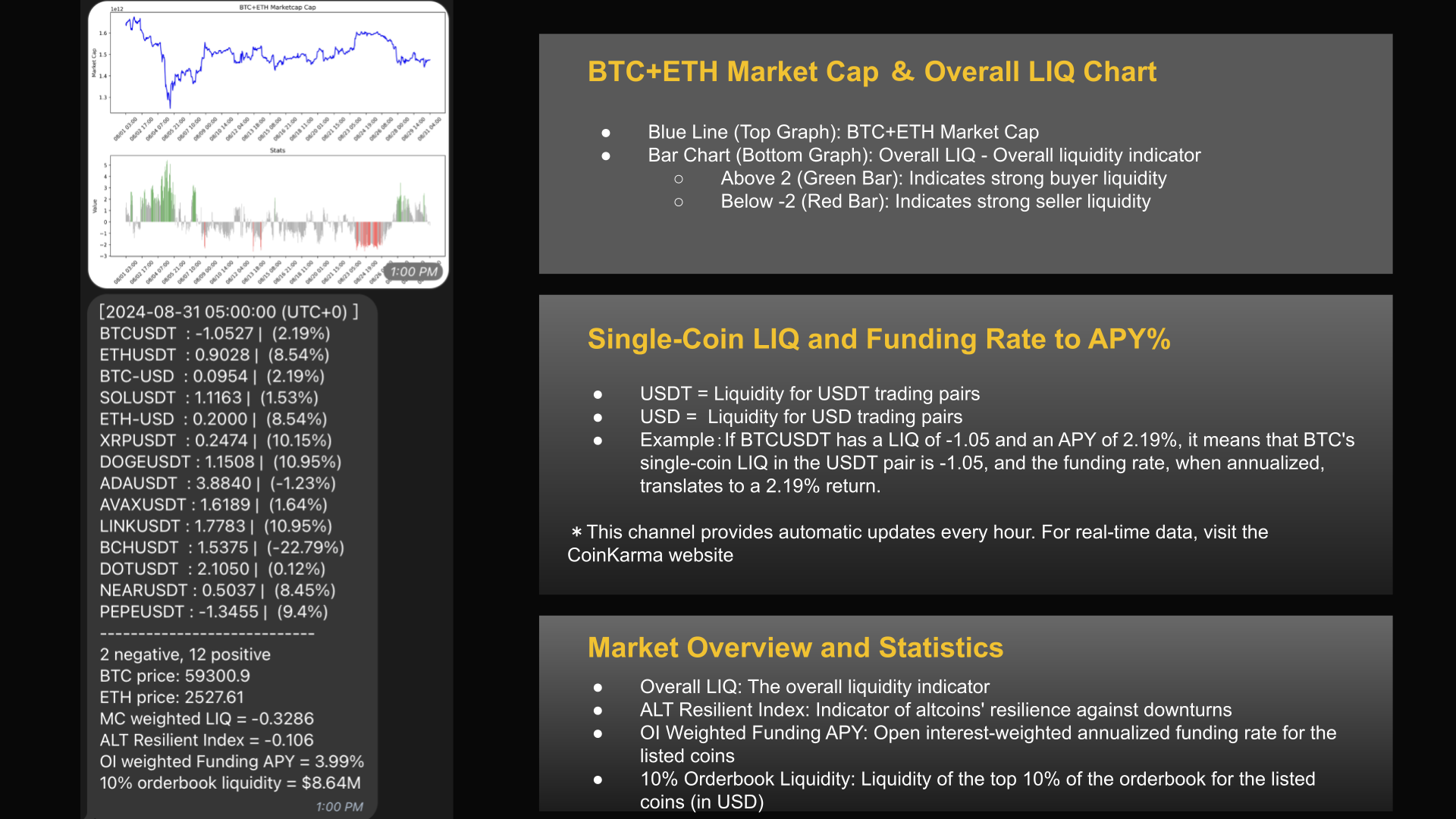
* 📢 **Overall Liquidity Alert**: Broadcasts hourly updates on the market cap of BTC + ETH, the liquidity status of various coins, and real-time data of the market-cap-weighted Overall LIQ indicator.
* 📢 **Grid Trading Signal**: A member-exclusive OKX grid trading strategy signal. It provides a one-click entry based on the Overall LIQ and the Relative Strength Indicator (RSI) of different coins. Exit positions need to be managed manually.
* 📢 **Set Custom Alert**: Set up custom indicator alerts. Receive real-time notifications when the set values are triggered.
## 📋 Dashboard Overview|Guide to Using the Indicator Dashboard
{% hint style="info" %}
After registering and logging in, enter CoinKarma's[ Chart Dashboard](https://www.coinkarma.co/chart) to observe real-time indicator statuses and review historical data. Here’s a quick guide to common operations
{% endhint %}
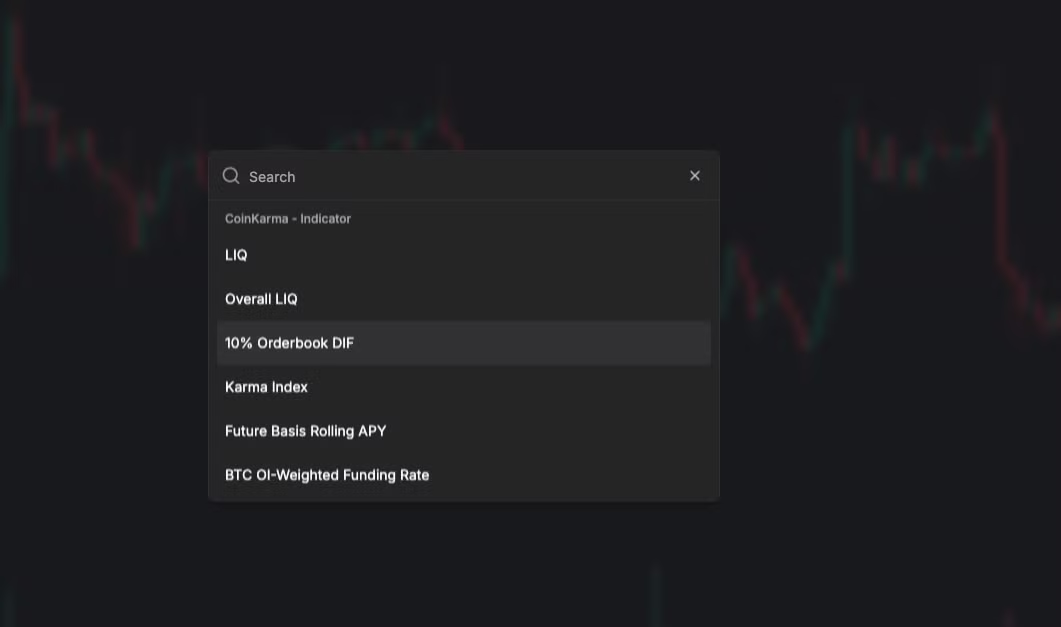
* **Add CoinKarma Indicators**:Click on "CoinKarma Indicator" and select the desired indicators (you can choose multiple).
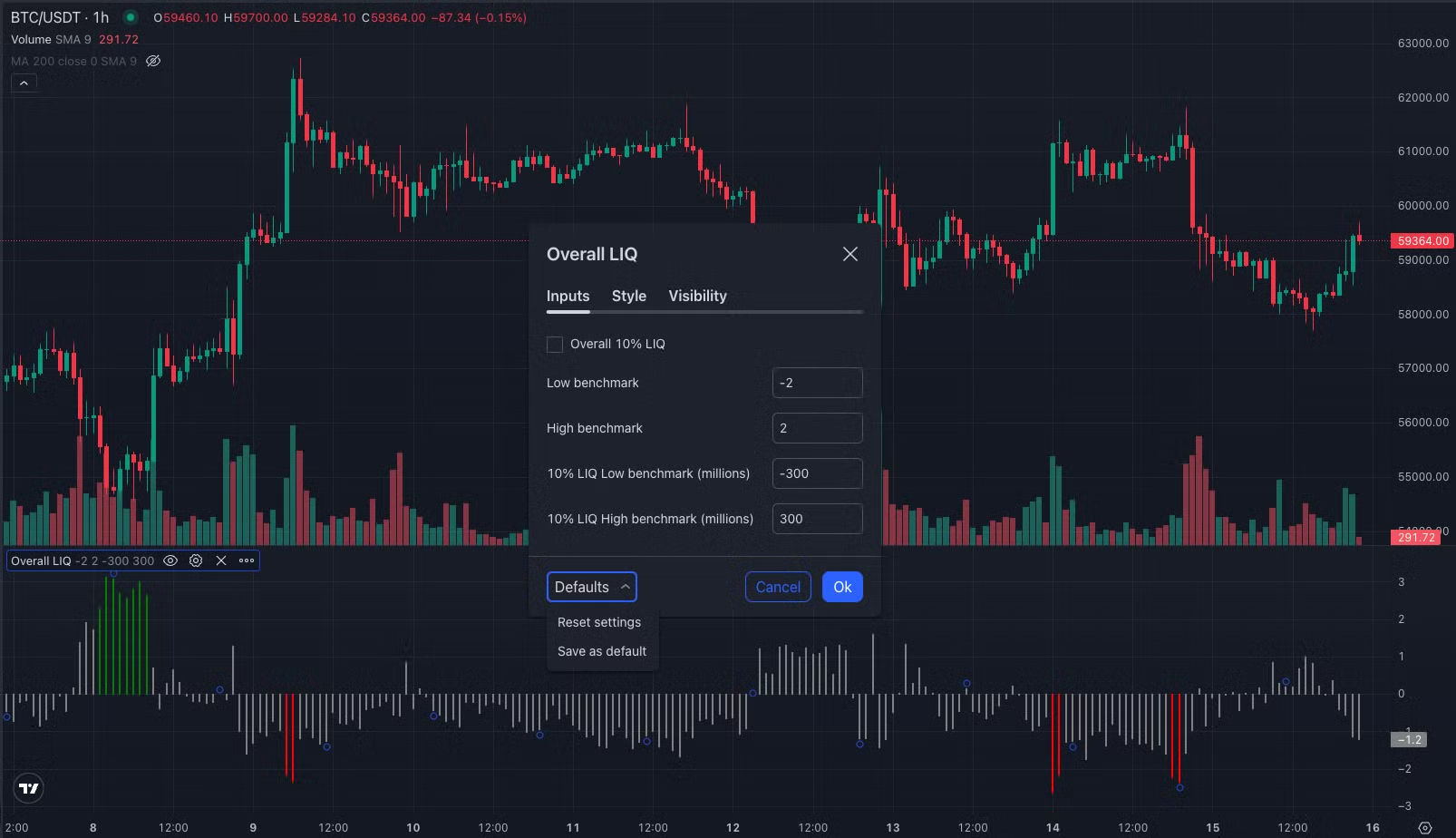
* **Adjust Parameters (Benchmark)**:Hover over the indicator name in the bottom left, click the gear icon, and adjust the parameter values. Click "Defaults" to reset to the default values.
## 🎯 Indicators Tips|Key Points for Getting Started
* **Featured highlight indicators**
* **Overall LIQ**
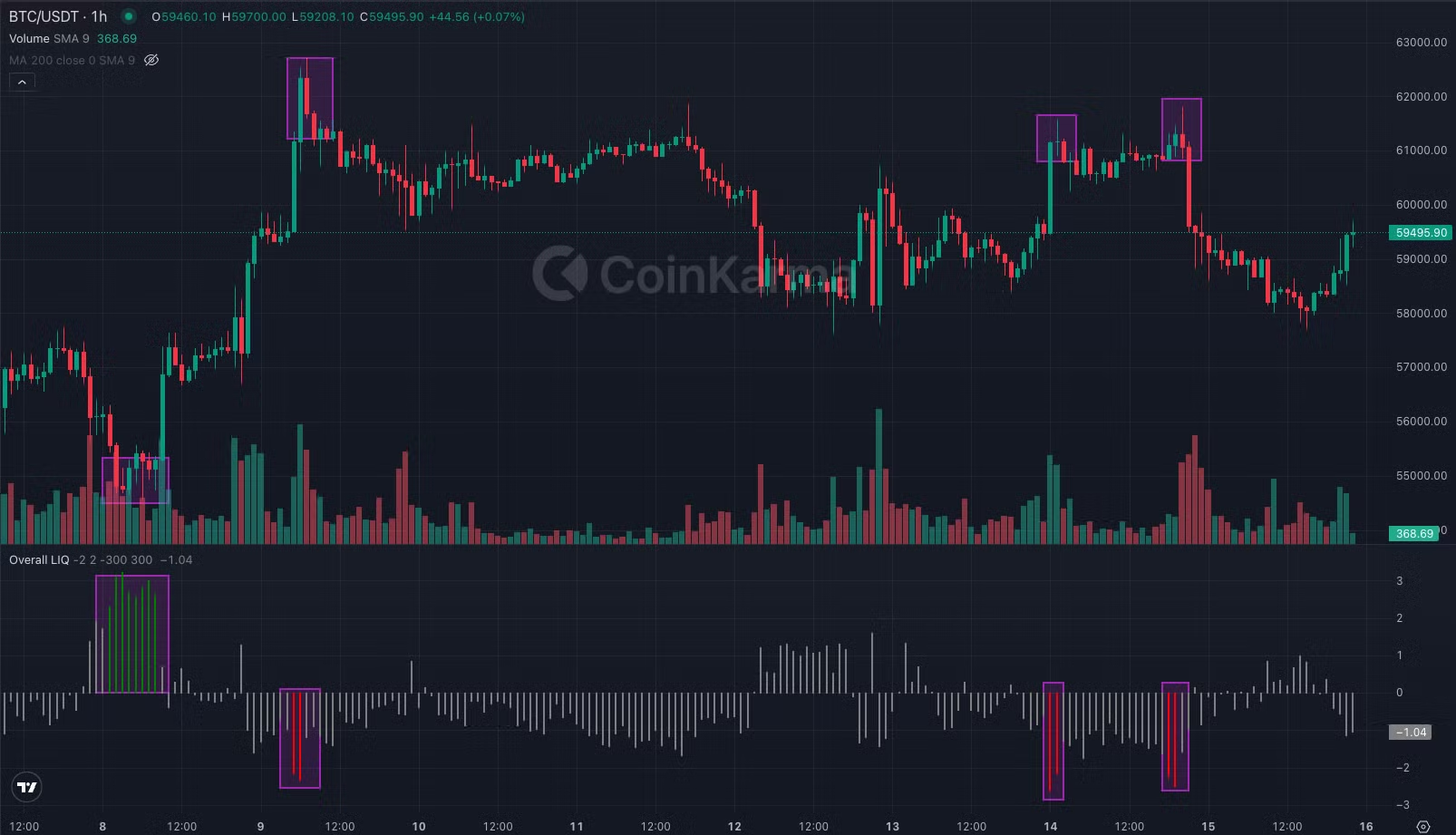
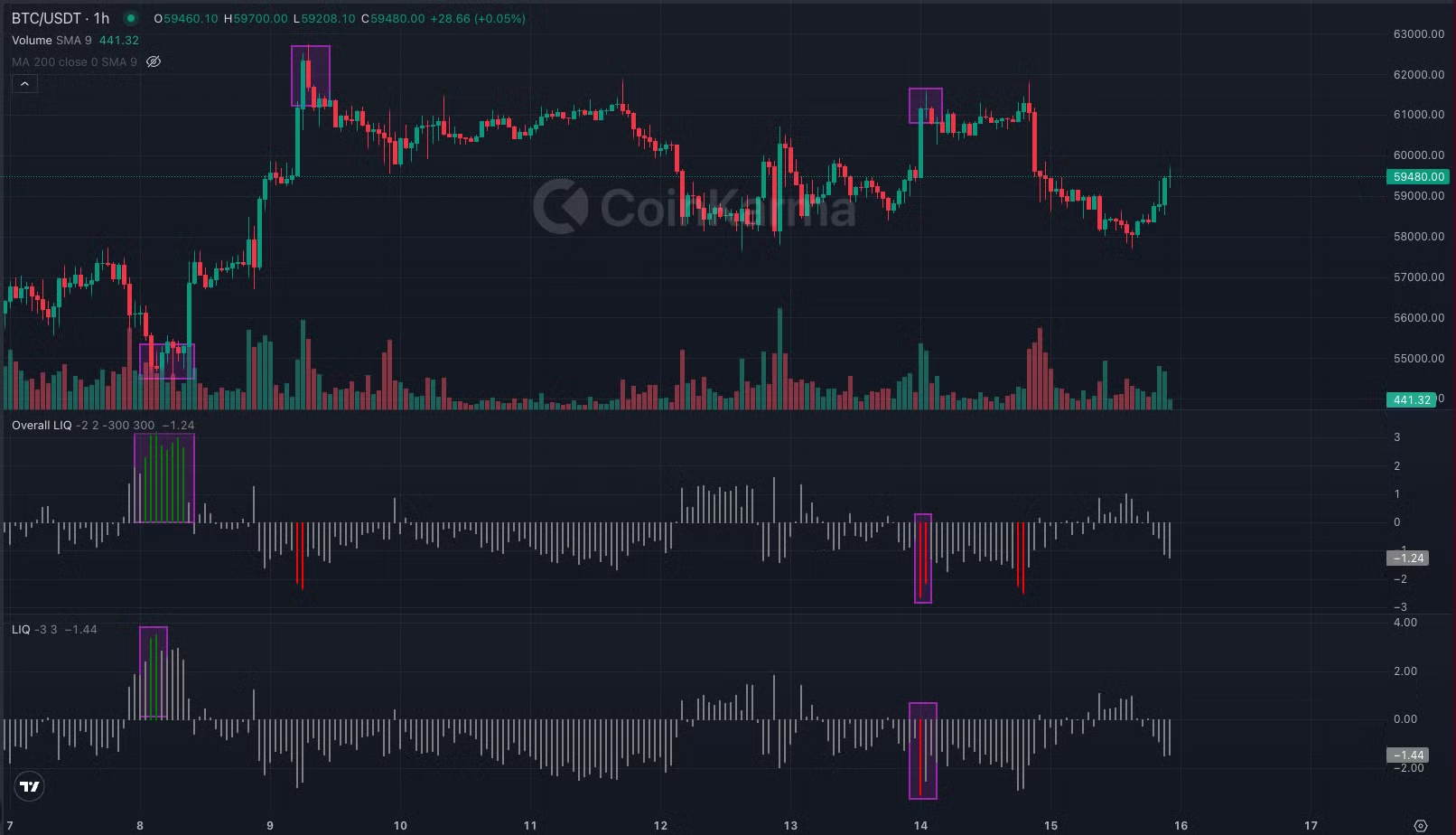
* A market-cap-weighted liquidity indicator used to gauge the overall market liquidity status. The default benchmark values are (2, -2), with red bars appearing when it falls below -2 and green bars above 2. It’s recommended to use this indicator along with CVD, Funding Rate, and ARI for a comprehensive analysis.
* **LIQ**
* An individual coin liquidity indicator that helps assess the liquidity status of specific coins. The default benchmark values are (3, -3), with red bars below -3 and green bars above 3. You can adjust the benchmarks for different coins and combine them with Overall LIQ and other indicators.
* **ALT Resilient Index**
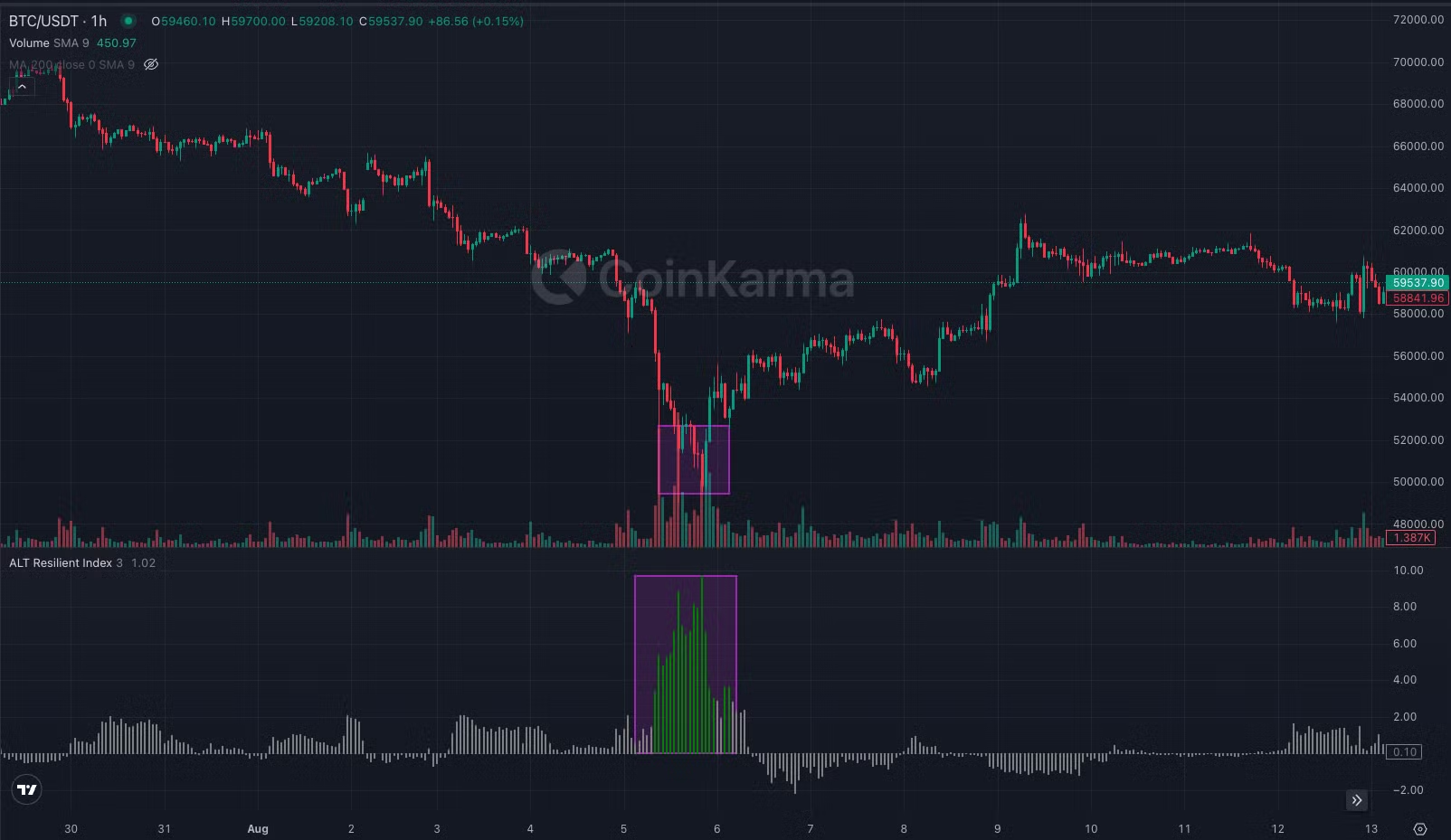
* This is an altcoin resilience indicator, used to assess how altcoins hold up against BTC during market downturns. The higher the value, the stronger the altcoins perform during a decline. It’s useful for identifying potential market bottoms.
* **Accumulated Overall LIQ**
* A cumulative sum of the Overall LIQ indicator. You can adjust the parameters for backtesting, with default values set to (24, 70, -70). It tracks the sum of Overall LIQ over the past 24 hours, with green bars above 70 and red bars below -70, helping to spot potential trading opportunities at market highs and lows when combined with Overall LIQ, ARI, and other indicators.
### 🤝 Referral & Affiliates|Invite Friends and Alliance Promotion
{% hint style="info" %}
After logging into CoinKarma, click on your profile icon in the top right corner and go to the "[Referral](https://www.coinkarma.co/account/referral)" page to get your exclusive invite link. When you invite friends to join CoinKarma, both you and your friends will earn CoinKarma Points, which can be redeemed for subscription extensions.
{% endhint %}
If you're a KOL or have community resources, your referral rewards can be directly converted into USD cash. Feel free to apply to join our Affiliates Program ▶️ [Application Form](https://www.notion.so/Quickstart-Guide-CoinKarma-3ea2abc7e2974645ad52017dffbb3210#)
### ℹ️ Support|ontact Customer Service & Learn More
* Coinkarma blog:
* Other inquiries: